FOM Plan
Build the core plan: dependable income, expenses, adjustments, savings, funding, the balance test, account setup, and deposit instructions.
Fruitful Orchard Method Digital System
Organize income, expenses, savings goals, and debt priorities in the guided Digital System, available in Excel or Google Sheets.
Turn a wall of numbers into a clear financial picture.
See how your income, expenses, and savings fit together—so you can make confident choices based on your values and goals.
Price: $19.99 USD. Available in Excel or Google Sheets. No recurring FOM subscription. Reuse your workbook each year. View current pricing and download details on Payhip.
Questions or trouble getting started? Message me directly. I’ll help you access your files and understand how to get started with the system.
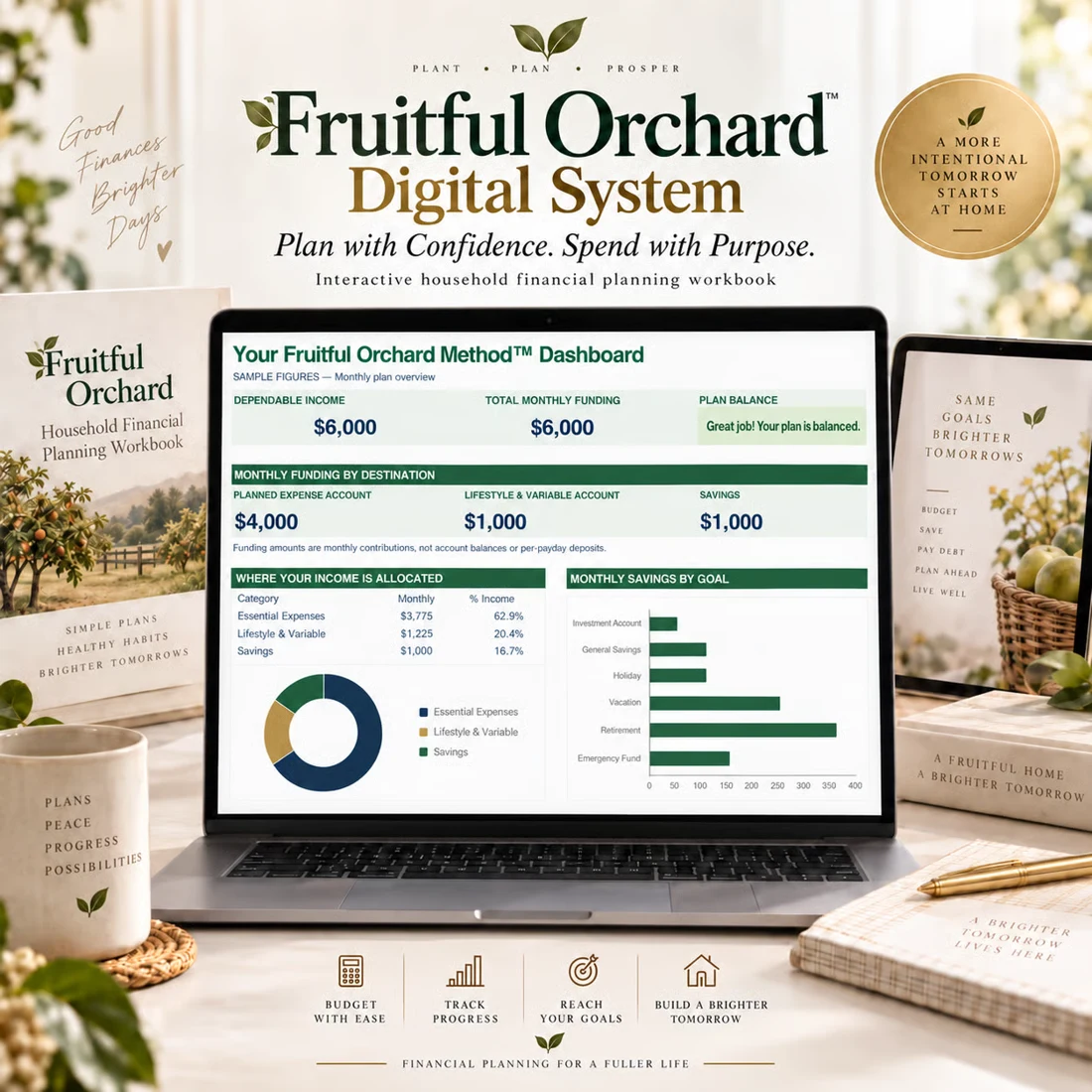
Included with the Digital System
See what’s inside
This example uses fictional figures to show how the Fruitful Orchard Method turns take-home income and expenses into a practical monthly funding plan.
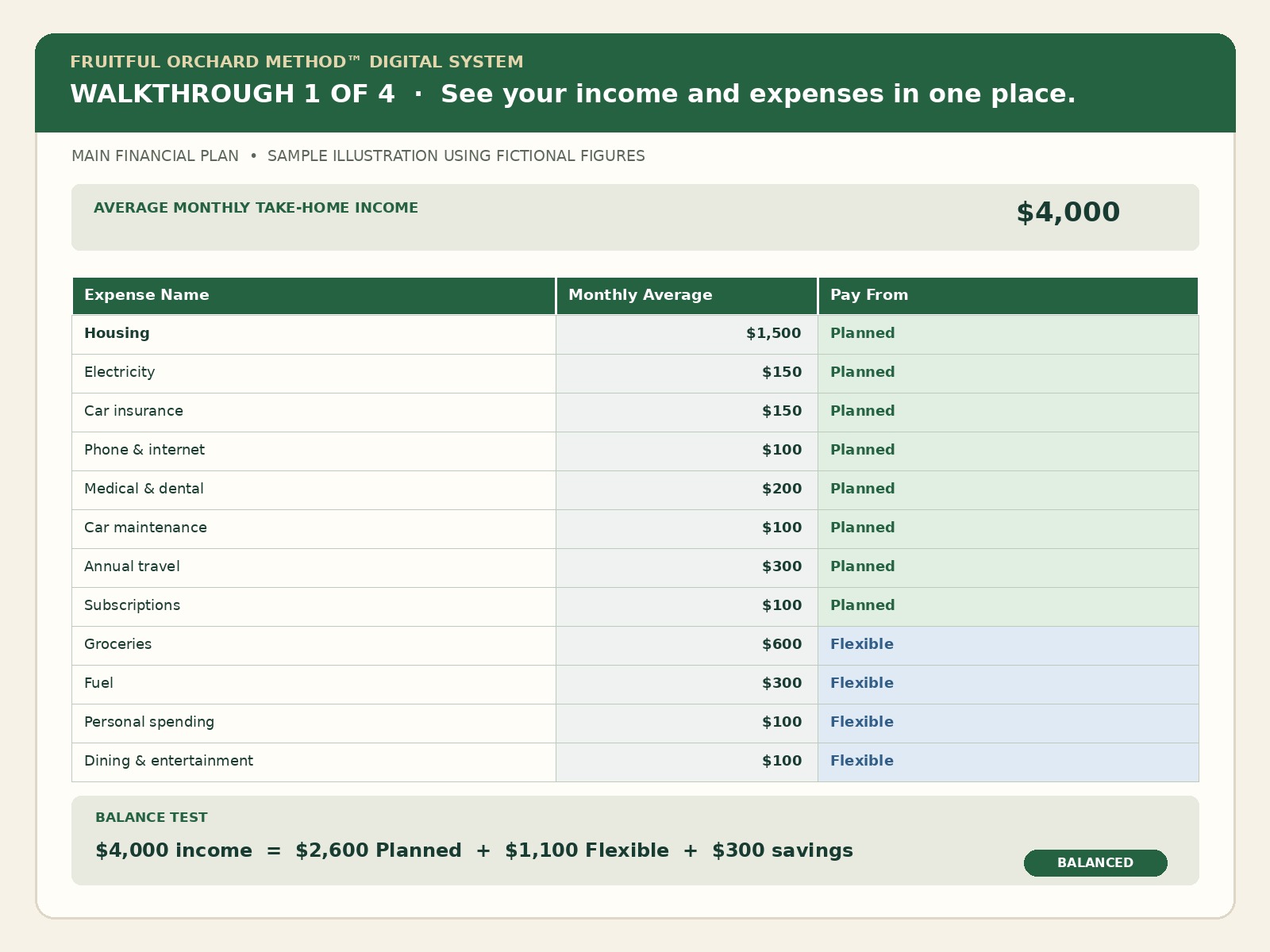
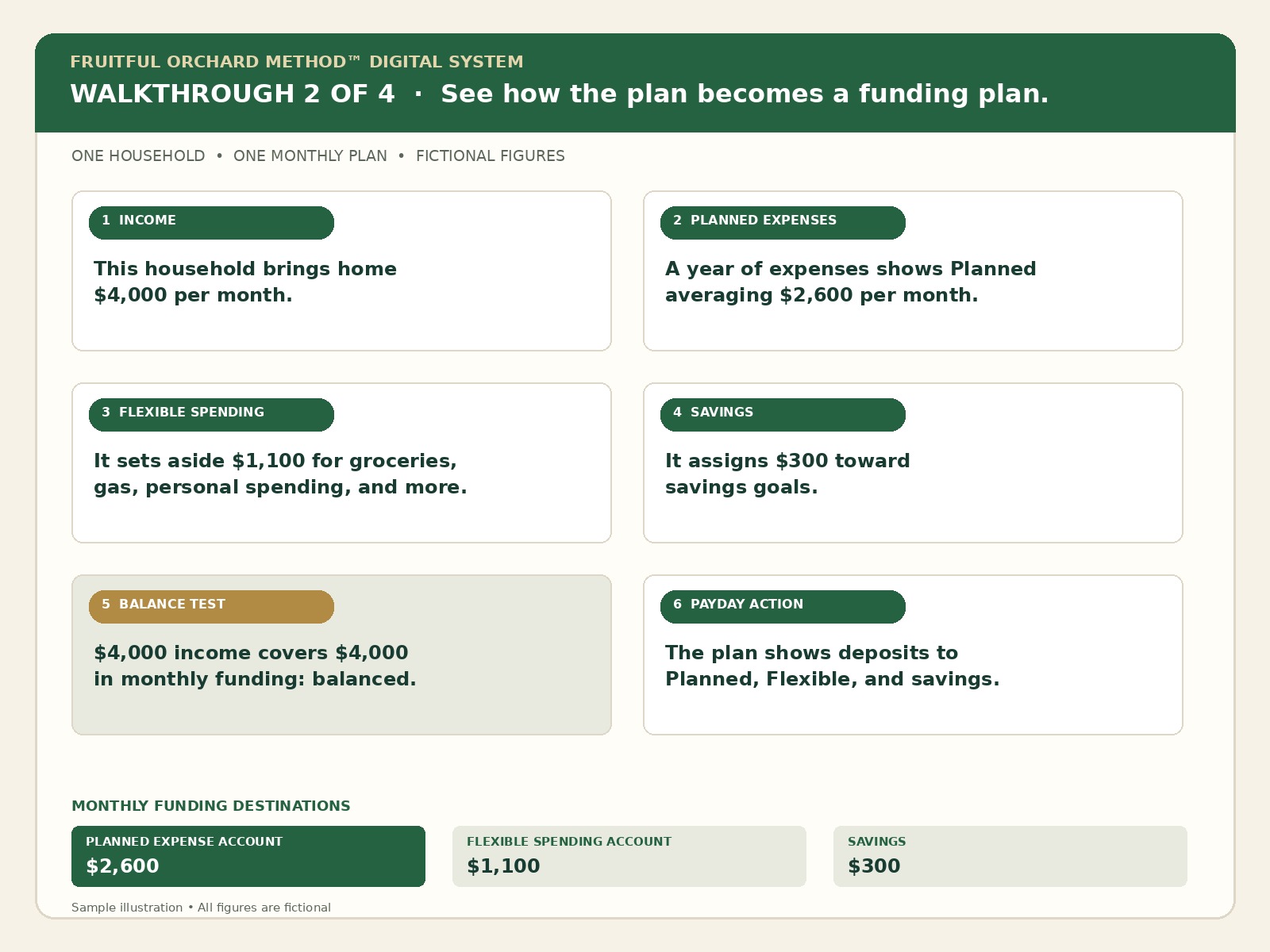
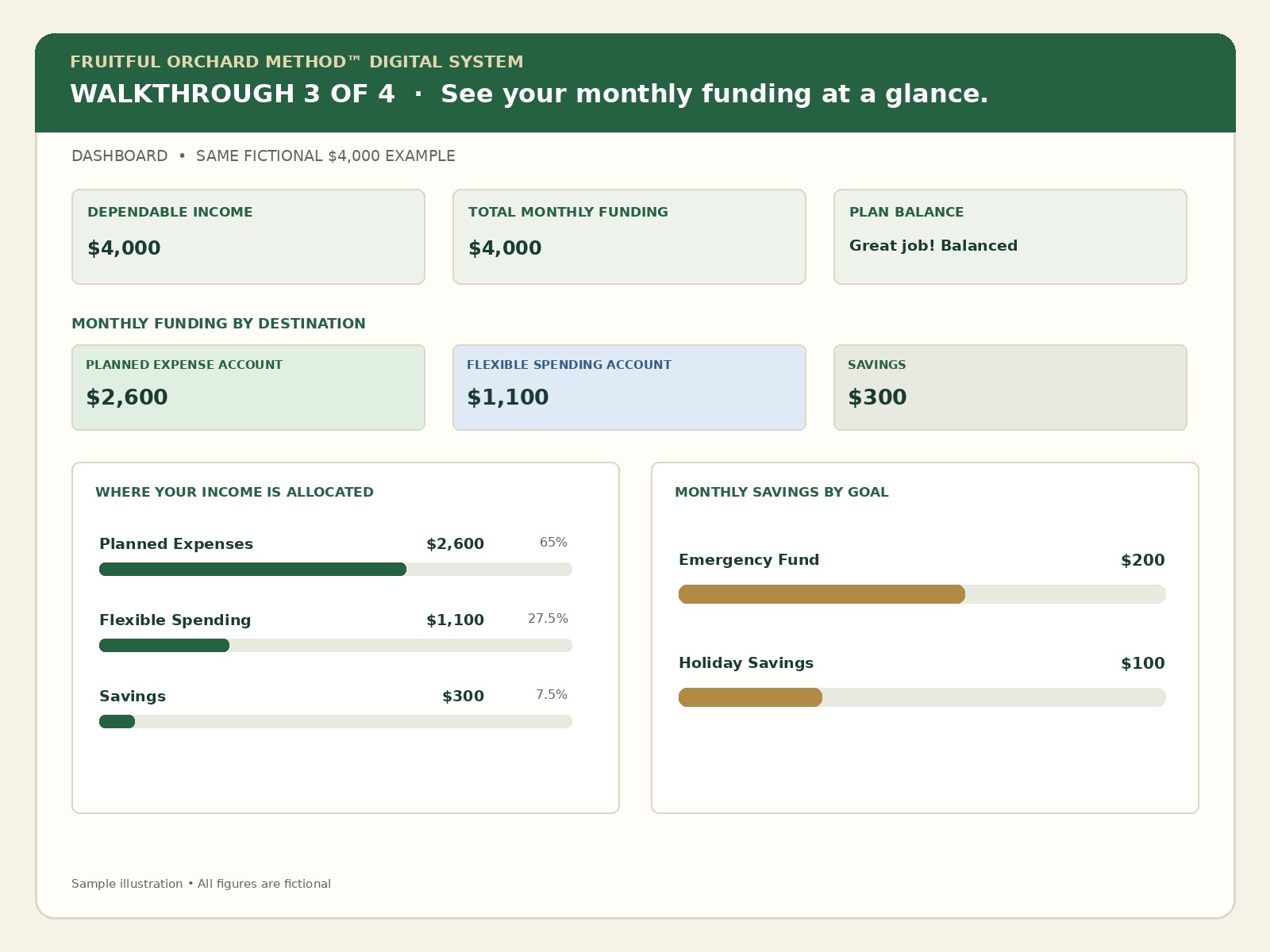
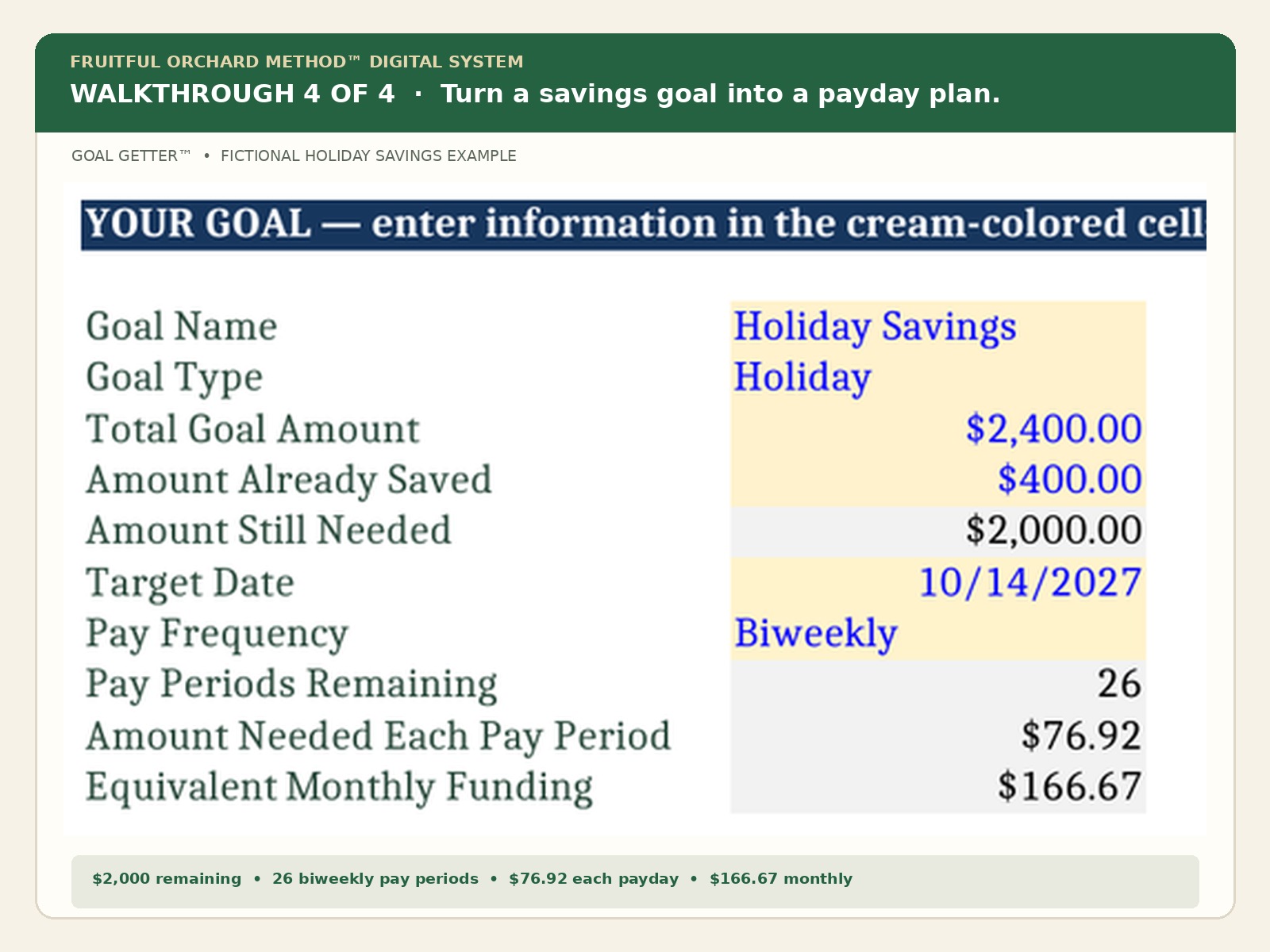
The Digital System helps you organize your own income, expenses, savings goals, and account funding—so you can see whether your plan is balanced before the month begins.
Get the Digital System on Payhip — $19.99Price: $19.99 USD. Available in Excel or Google Sheets.
This plan includes income, expenses, and savings. What makes it different is how you build it: start with your Why and the goals that matter to you, then use the Balance Test to see whether your priorities fit your income. Your values help guide the adjustments you choose.
Plan for expenses across the year, protect money set aside for planned expenses, and give savings a place in the plan before deciding what is available for flexible everyday spending.
Start with your own figures. The workbook calculates averages and funding amounts, while you decide what matters and which adjustments are realistic. Review the balance test before putting the plan into motion.
Inside the workbook
Build your Financial Plan first, then use the companion tools when they help answer a specific question.
Build the core plan: dependable income, expenses, adjustments, savings, funding, the balance test, account setup, and deposit instructions.
Enter each household expense once. Use payment dates and amounts for Planned expenses. For Flexible spending, enter separate annual totals by category or one combined annual total.
Review how Planned expenses, Flexible spending, and savings are allocated by income source and pay schedule.
Estimate the starting balance needed in the Planned Expense Account across the coming year’s payment schedule.
See monthly income, funding, savings, and the balance test in one summary.
Review your savings goals, recorded account balances, and projected progress.
Explore the monthly savings needed to reach a goal by your target date.
Compare smallest-balance-first and highest-interest-first debt payoff estimates.
Compare a major financial decision with your priorities and available money.
Use focused calculators to explore household borrowing, savings, and planning questions.
Organize information a trusted person may need to understand household finances.
Review and customize a printable reference for Planned expense schedules.
Choose the Excel workbook or Google Sheets version. The Excel workbook is macro-free; no macros need to be enabled. The Quick Start Guide recommends desktop Excel for the most complete Excel experience. Microsoft Excel is not included.
Save a working copy before entering your information, keep a secure backup, and use the cells identified for input. Check the purchase listing for the current file format and included guides.
Prefer to build your plan by hand? Explore the book and its included manual planning worksheet.
No. You enter your own income, expense, and savings figures. No bank login or connection is needed.
You may enter separate annual totals by category or one combined annual total. Separate categories reveal what each costs over a year and help identify possible reductions when your plan is underfunded. One combined total makes entry simpler. Include each expense only once.
No daily transaction logging is required to use the system. Use your records to build the plan, then review it annually or when your income, expenses, or goals change.
Yes. The dashboard summarizes information from the Financial Plan. It helps you review the plan rather than prescribing the right percentages for your household.
The companion tools help you explore choices. Manually carry your chosen decision back into the Financial Plan where required, following the workbook’s instructions.
The digital system provides a guided workbook and on-sheet instructions. The separate book explains the method and planning decisions in more depth.
Use it on your own, with a partner, or with family members. It can support a first budget, a renter’s plan, or a household revisiting its priorities.
Get the Digital System on Payhip or browse the Fruitful Orchard Etsy shop.
Get the Digital System on PayhipBrowse the Fruitful Orchard Etsy Shop